One-line summary
This update focuses on digital sales, survey collection, and scheduled messages to make the entire pre- and post-shoot workflow feel smoother.
A photographer's work doesn't end when the shoot is over.
There are still messages to send, information to collect, photos to deliver, follow-up requests to handle, and sometimes extra files to sell.
This update is about making sure that flow doesn't keep getting interrupted.
Why it matters
As operations get busier, the work usually splits into two kinds of tasks.
There are the repetitive things that must get done, and the important things that keep getting pushed back.
Payment guidance, survey collection, scheduled sending, and photo delivery all fall into that category.
This update doesn't just improve each task on its own. It expands Pixpics in a way that helps the entire photographer workflow feel more naturally connected.
Common friction points
- When clients asked to buy original files or add-ons, payment guidance had to happen separately
- Even when survey responses piled up, it was hard to see the overall flow at a glance
- It was easy to miss the right timing for client messages
- Sharing photos and videos could still feel a little clunky
- Small operational issues around scheduling, file formats, and downloads kept adding manual work
The direction of this update
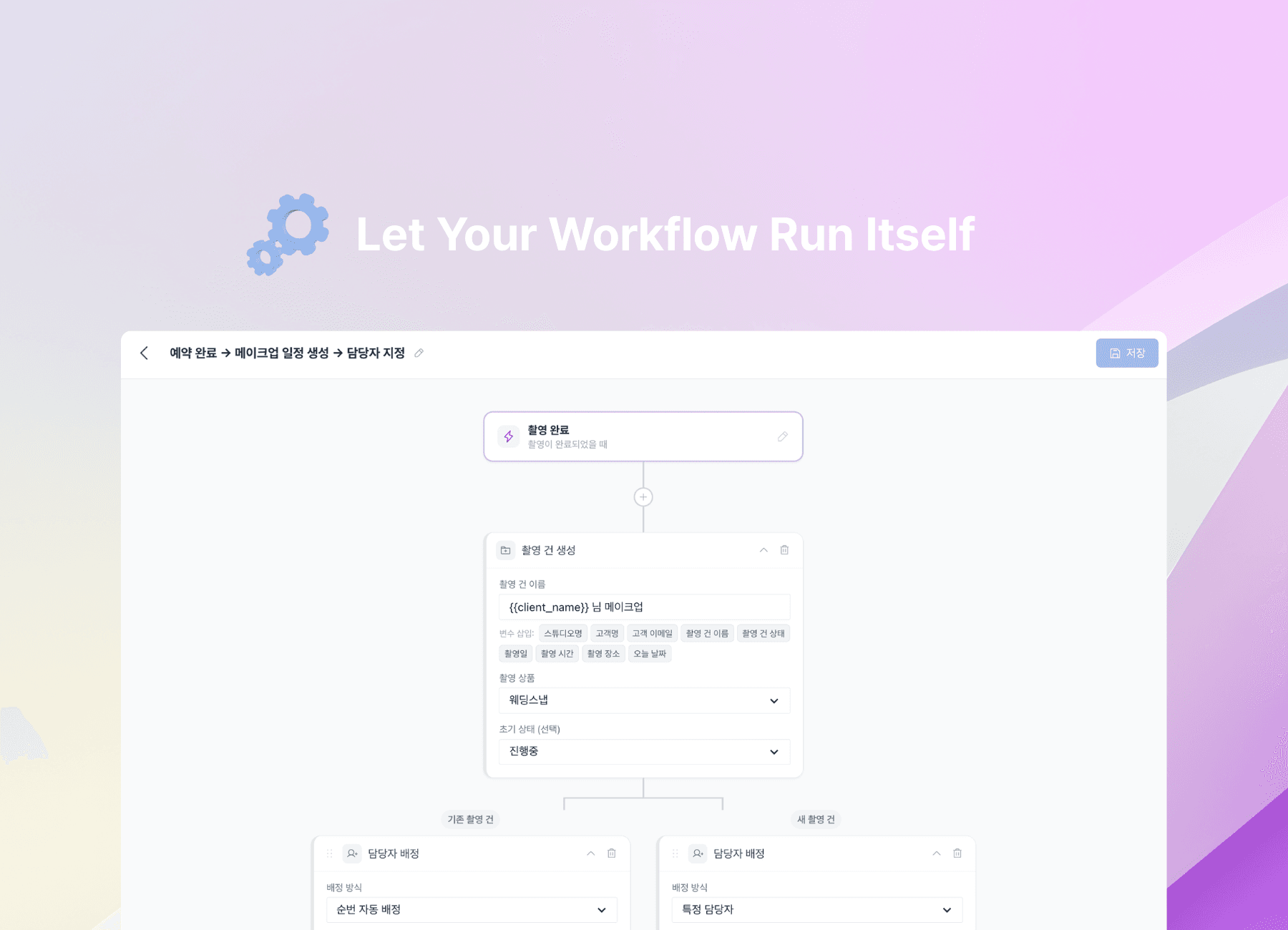
Instead of simply adding more features, this update focuses on smoothing out the real moments photographers deal with most often.
At the center of this release are three things.
- Sales: Sell digital download products directly inside the gallery
- Collection: Store and manage survey responses like structured data
- Communication: Schedule messages to go out at the right time
On top of that, we also refined the delivery experience and small operational details.
Sell digital download products
Questions like, "Can I also purchase the original files?" come up more often than you'd think.
Until now, that usually meant sending separate payment instructions, confirming the payment manually, and delivering the files again. The flow was longer than it needed to be.

Now you can create a gallery experience where clients select files, pay, and download them in one connected flow.
- Selection → cart → payment → download, all inside the gallery
- After payment, file delivery can continue automatically, reducing manual follow-up
- The sales flow stays inside the delivery experience, which feels smoother for clients too
What makes this valuable is not just that payments were added. It's that additional revenue can now happen naturally within the photo delivery experience. There's no need to send clients to a separate storefront or external tool, so it feels easier on both sides.
Data-accumulating surveys
Sending a survey is one thing. Looking back at all the responses in a usable way is often the harder part. When you have to open responses one by one, it becomes much harder to understand the big picture as your client list grows.
.png&w=1920&q=75)
With this update, surveys go beyond simple response collection and become a structure where responses accumulate and can be managed like data.
- Review collected responses in a table view at a glance
- Compare responses across clients or spot patterns in specific items more quickly
- Use shareable survey pages to collect responses from multiple clients more easily
This is especially useful for recurring situations like pre-shoot intake, consultation prep, or event applications.
The key change is that the survey is no longer just something you send out. It becomes material that helps you prepare the next step more accurately.
Schedule messages
In client communication, timing matters just as much as the message itself. Contract instructions, gallery opening notices, review requests, and reminder messages all land better when they arrive at the right moment. But on busy days, even important messages tend to slip.
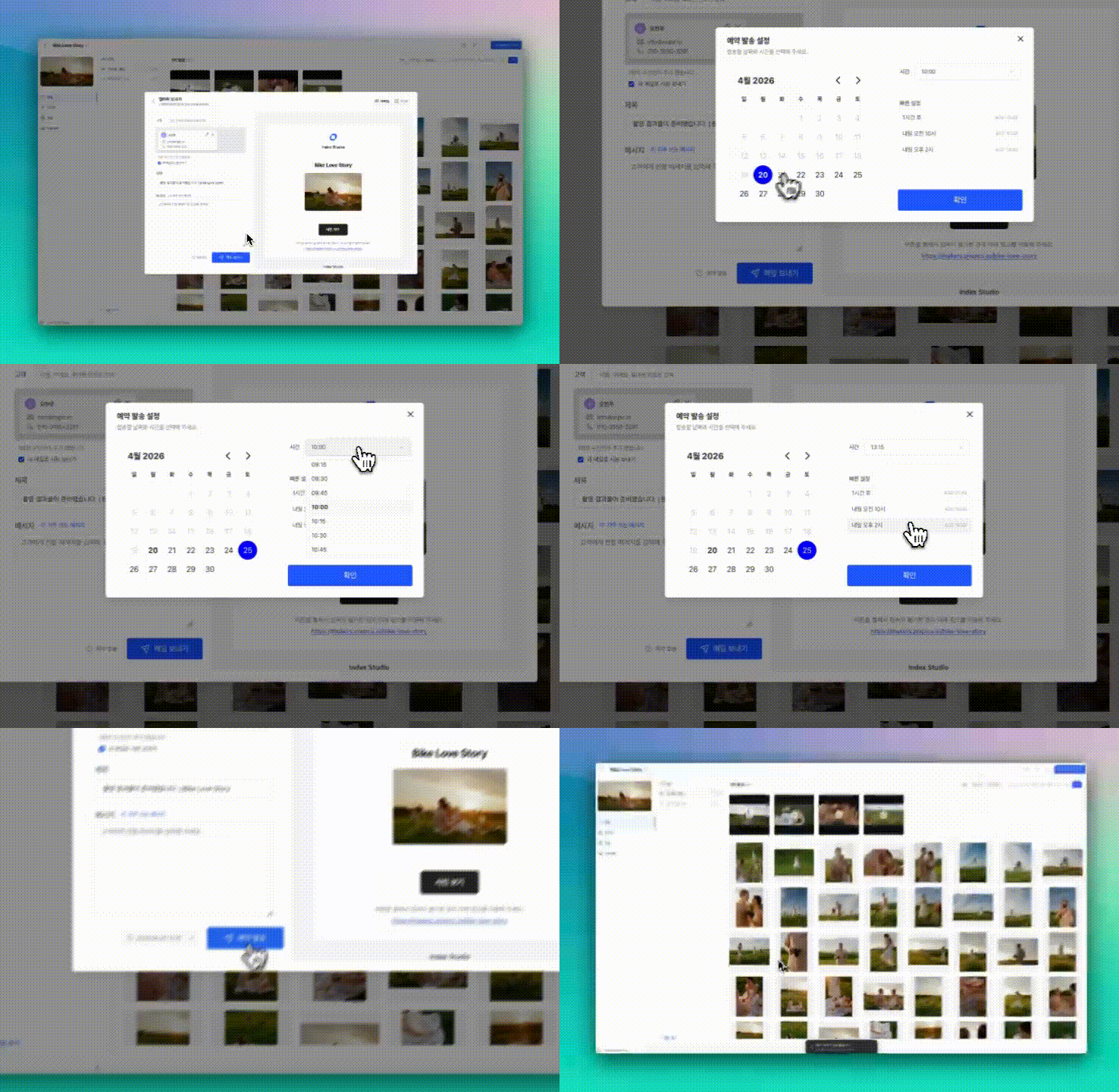
Now you can schedule emails and AlimTalk messages for the exact date and time you want.
- Set the send time in advance and let messages go out automatically
- Keep your client communication flow moving without having to remember every step yourself
- Review sending history and responses together for easier follow-up
Even just knowing you don't have to send everything manually in the moment can take a lot off your plate. Messages that need to go out after work or over the weekend can be prepared ahead of time.
A better delivery experience, too
Beyond the main features, the experience of receiving and sharing photos also got better.
Easier photo and video sharing
Clients can now share received photos and videos more easily. Short links make sending simpler, and the preview experience feels more polished, so it's much easier to share with family and friends.
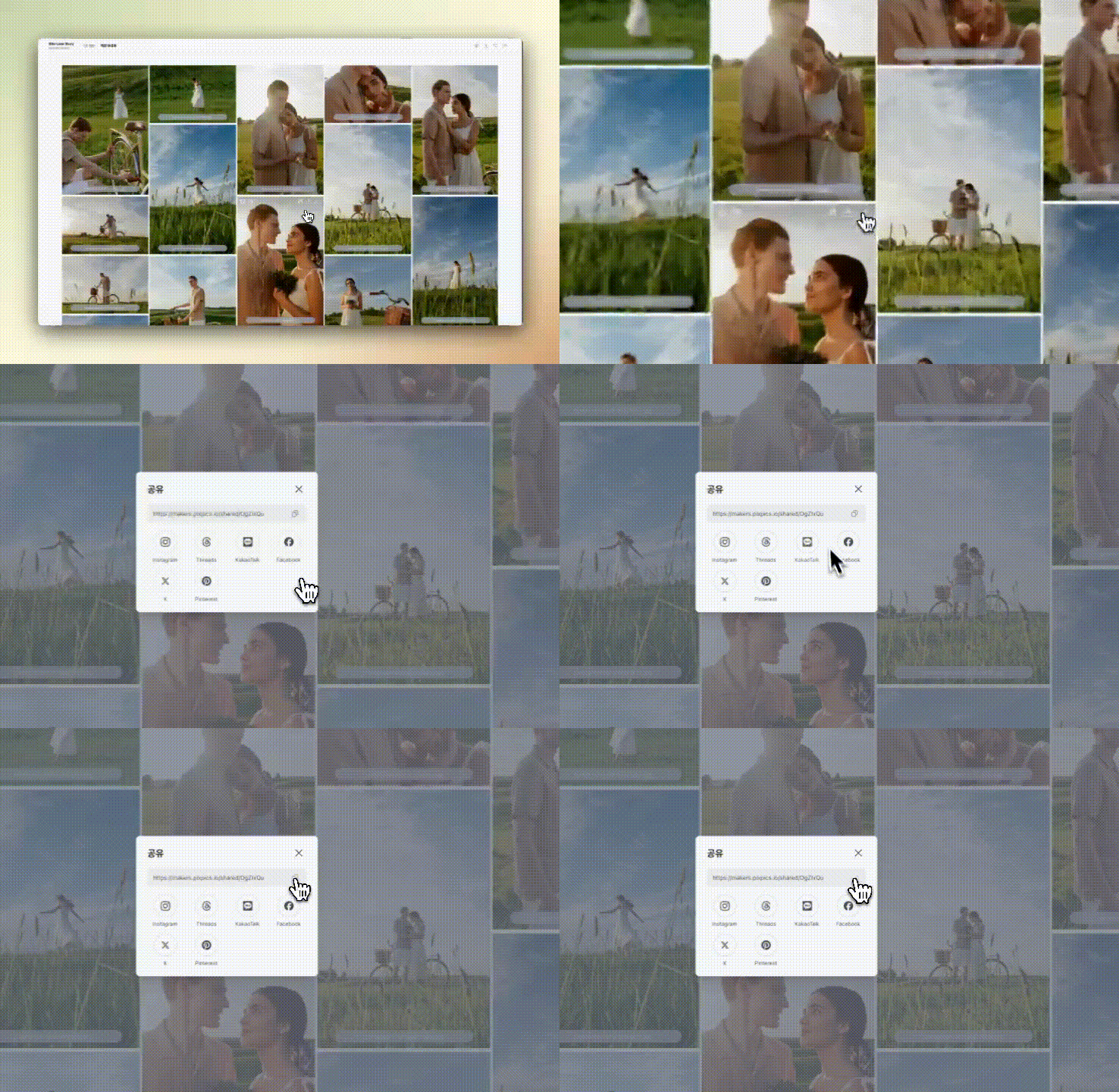
Large download experience refresh
Download speed and stability have been improved, and the difference is especially noticeable when there are a lot of files. It's a change that removes friction in the delivery stage.
GIF and TIFF support
Photographers can now upload and deliver work in professional formats without changing the file type first, making the workflow simpler for those who rely on these formats.
Even the small operational details feel easier
This update isn't only about headline features. It also improves the moments that photographers actually touch every day.
Better schedule management
You can now create, change, or cancel shoot schedules directly from the calendar, reducing the need to jump between pages.
This is especially helpful when managing multiple schedules at once.
Selection-complete message history
Messages left by clients are easier to review within the selection flow, making it easier to carry requests into the next step without missing anything.
Other improvements
- Better upload stability and speed
- Refreshed email templates
- Favorites feature added (galleries, photos)
- Improved gallery setting presets
- Better notification experience
- Stronger usage visibility
- Video upload support in the iOS app
Each change may look small on its own, but together they make day-to-day operations feel noticeably lighter.
Get started now
If your client workflow has felt a little fragmented, this update may feel especially welcome.
Start with one recurring task—digital sales, survey collection, or scheduled sending—and try it in your flow.
Even a small change at one step can make the whole operation feel much smoother.
FAQ
Q. Which feature should I try first?
Start with the most repetitive part of your workflow. If clients often ask to purchase extra files, try digital download sales first. If important client messages keep getting delayed, scheduled sending is a good place to start.
Q. Can I collect survey responses from multiple clients?
Yes. With shareable survey pages, you can collect the same survey from multiple clients more easily.
Q. What kinds of messages work well with scheduled sending?
It works especially well for messages where timing matters, like contract guidance, gallery opening notices, reminders, and review requests.
Q. Who is this update most useful for?
It's especially helpful for photographers who personally manage client communication, information collection, delivery, and follow-up after the shoot.