One-line summary
Once the shoot is over, the repetitive follow-ups, next steps, and review requests no longer need to live in your head. Set up one flow, and it keeps moving on its own.
The real work often starts after the shoot, doesn't it?
Once the session is done, you still need to send selection guidance, deliver the files, and remember when the right moment is to ask for a review.
When you only have a few projects, it can all stay in your head.
But once that turns into ten or twenty, the story changes.
Some clients get the right message on time, and some slip through.
Some shoots make it all the way to a review request, and some quietly get left behind.
That is not because you are careless.
It is because a workflow built on memory alone eventually reaches its limit.
This update is about changing that structure.
Why it matters
Automation is not just a way to save time.
It is a way to build a steady client experience, even during your busiest season.
When everything depends on manual follow-up, small differences in timing and energy always show up.
When the process becomes a flow, that inconsistency starts to disappear.
Common friction points
- It is easy to miss the right timing for follow-up messages
- Review requests keep getting pushed back and then forgotten
- As more shoots pile up, post-shoot tasks get tangled in your head
- Even strong reviews do not always make it to public display and management
The goal
For repetitive work, relying on discipline alone is exhausting. It is much more realistic to create a flow that runs automatically when the right condition is met.
Reviews work the same way. Requesting them, collecting them, and publishing them should not live in separate places. They should move as part of one connected flow.
⚡ Workflow automation
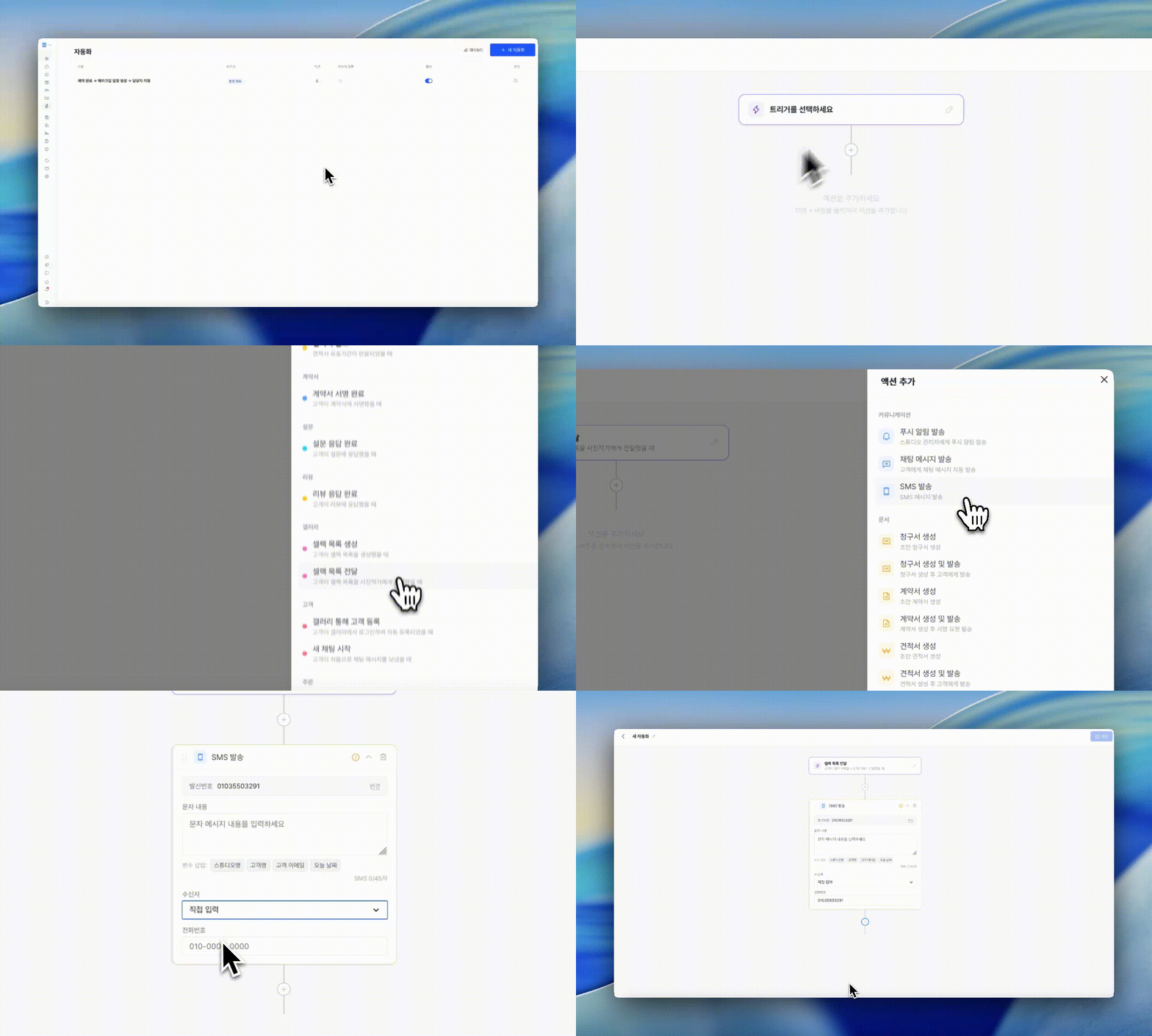
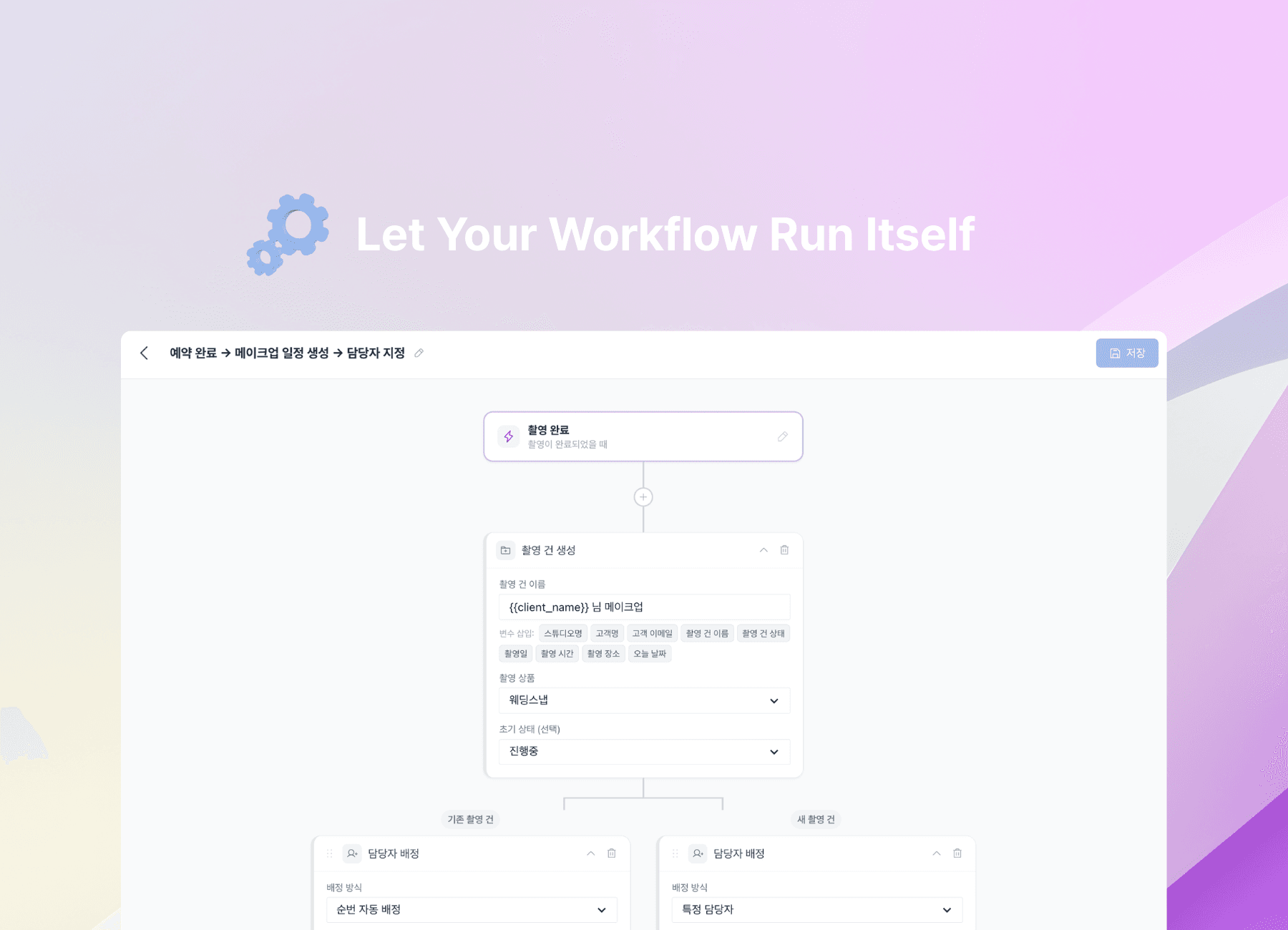
Booking confirmed → assign the photographer.
Shoot completed → send the next message.
Payment received → move to the next step.
If you have been handling these moments manually every time, now you can build it once and let it run.
You simply choose a trigger for when something happens, then connect the actions that should follow.
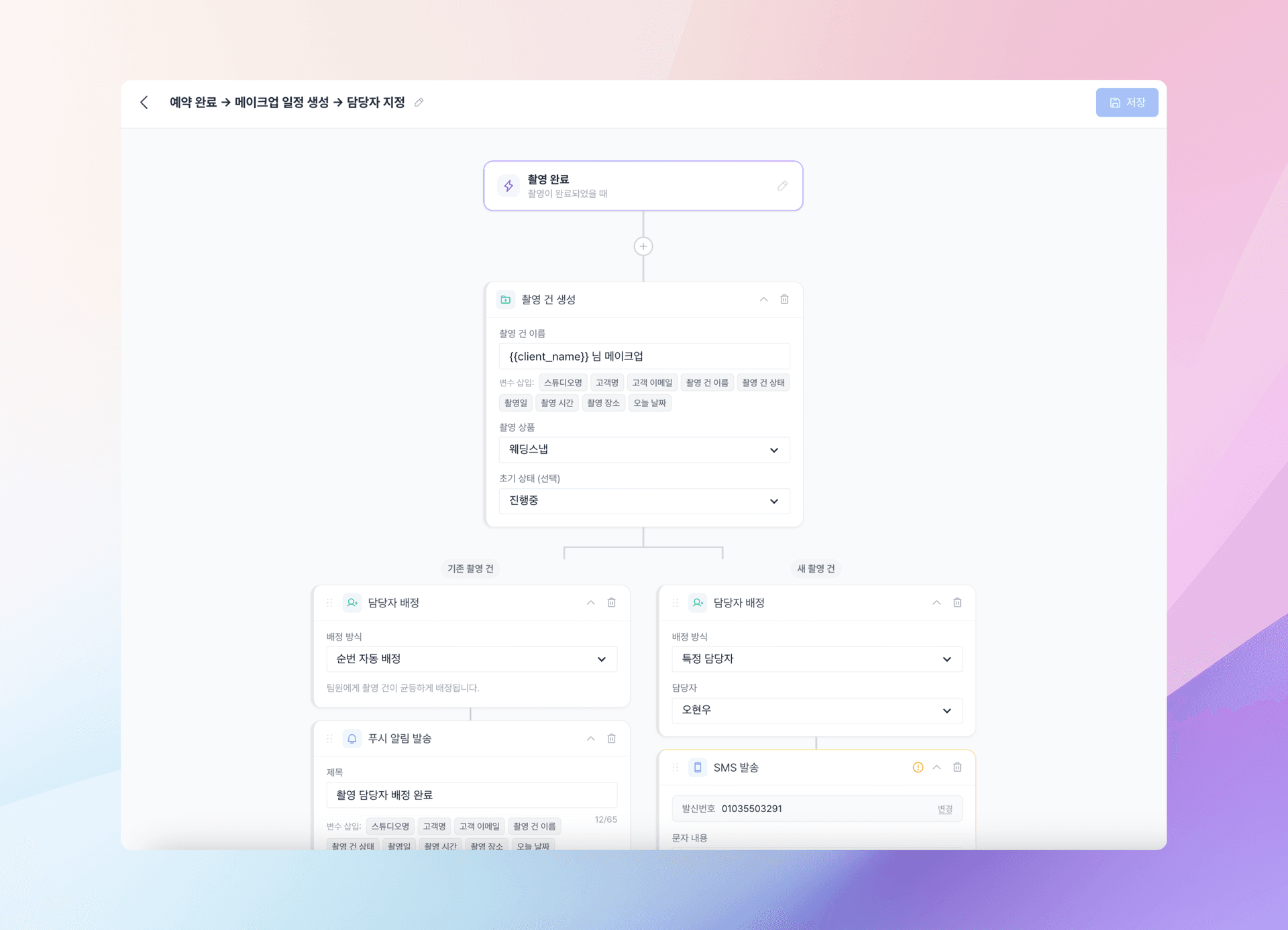
For example:
- Booking confirmed → automatically assign the photographer
- Shoot completed → wait 3 days → send a review request
- Payment completed → automatically send a follow-up message
- Specific condition met → branch into a different flow
If sending something immediately feels awkward, you can add a delay.
If conditions matter, you can split the flow and send people down different paths.
It is not a complicated setup. You build it top to bottom, almost like stacking blocks.
And once the flow is in place, it keeps running no matter how many shoots you are managing.
That is the real shift automation creates. Even on busy days, every client can still experience the same level of care.
⭐ Collecting shoot reviews
Everyone knows reviews matter.
But in real day-to-day work, they are often the first thing to get pushed to the back.
Once a shoot ends, editing comes first. Then the next schedule arrives.
And when the right moment passes, you miss the point when your client's satisfaction is still fresh.
Now review collection can move inside the same automated flow.
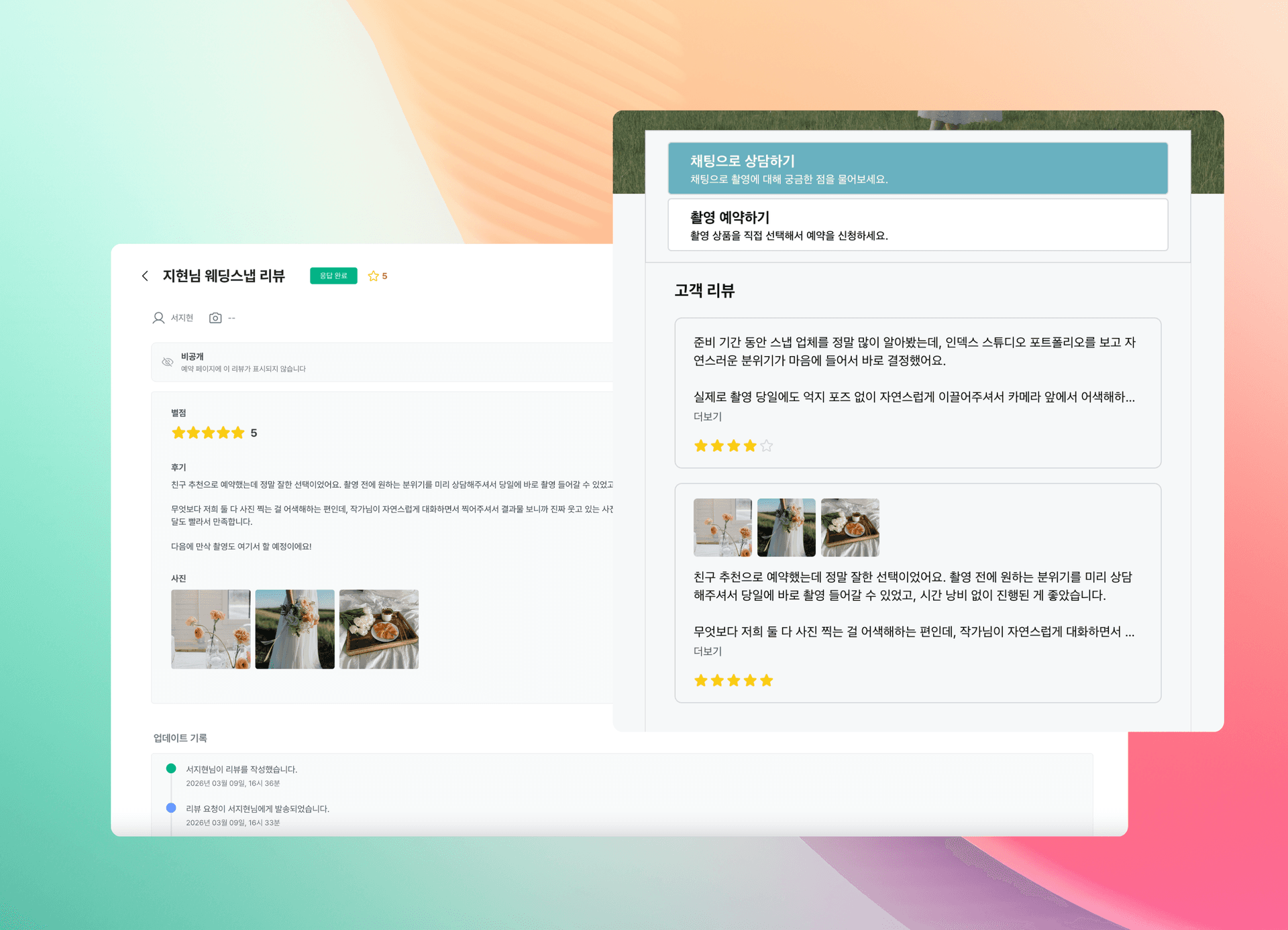
- Connected to workflow automation, so you can send review requests automatically after a shoot is complete
- Incoming reviews can be approved, hidden, or answered from the management dashboard
- Approved reviews can be published automatically on your booking page
Shoot completed → wait a few days → send the review request.
Even this one flow changes reviews from something you gather only when you remember, into something that keeps building consistently.
You no longer need to calculate the timing yourself.
And for clients, a request that arrives a few days later usually feels much more natural than one that comes immediately after the shoot.
It also becomes less likely that a great review will simply get buried.
You can see them by status in the dashboard and only publish the ones you want.
Recommended workflow
You do not need to start with something complicated.
Even this one setup can make a noticeable difference.
- Create a Shoot completed trigger in workflow automation
- Add a 2–3 day wait action
- Connect a Send review request action
- Check incoming reviews in the dashboard and choose which ones to publish
Even if you start small, the way you operate begins to change.
Other features included in this update
Alongside automation and reviews, we also added features that make studio operations feel smoother overall.
- 📌 Photo retouch requests — clients can pin the exact area that needs changes, and you can manage revision history as well
- 📁 Gallery folder management — organize galleries into folders by theme and share them with clients at the folder level
- 🖼️ Default cover image — set a default studio cover and apply it automatically when a gallery has no cover yet
- ✨ Improved video upload stability, natural file name sorting, and more flexible cover text color settings
Get started now
If post-shoot follow-up work has been getting heavier as your bookings grow, this update may help lift some of that weight.
Start with workflow automation and review collection. Even a small change can make your operations feel very different.
FAQ
Q. Do I need to build a lot of complicated rules for automation?
Not at all. Starting with just one frequently repeated flow is enough. Something like sending a review request after a shoot is completed is a great first step.
Q. Are all reviews published automatically once they come in?
No. You can choose exactly which reviews to publish from the management dashboard.
Q. What kinds of messages can automation send?
You can set actions for KakaoTalk AlimTalk, chat messages, SMS, push notifications, and more.
Q. How are review requests delivered?
They can be sent through KakaoTalk AlimTalk or email, and clients can leave their review comfortably on a dedicated page.