One-line summary
Security is not "control." It is care. Small settings that help clients view comfortably are what complete a professional delivery experience.
Why it matters
To clients, photos are not just files.
They hold faces of family, a wedding day, and personal moments like a body profile session.
So even after you send one link, these thoughts often follow.
"What if this spreads to someone unrelated?"
"Is downloading too open right now?"
When those concerns grow, delivery stops feeling like a warm finish and starts feeling like risk management.
But when you set a few simple protections, the experience changes.
Clients feel taken care of, and you can deliver with a calmer mind.
Common friction points (when security is missing)
- The link spreads further than intended. It can travel through group chats faster than you expect.
- Downloading is too easy. Once originals spread, it is hard to pull them back.
- Clients ask again. Questions like "Can anyone open this link?" usually mean clients want reassurance.
- Renewal requests repeat. Without a balance of safety and convenience, delivery support work grows.
Direction
The core idea is simple: open access only as much as needed, only to the extent needed.
And explain it warmly.
Clients' feelings often shift like this:
- "I'm being restricted" → "I'm being cared for"
- "I'm concerned" → "I feel safe"
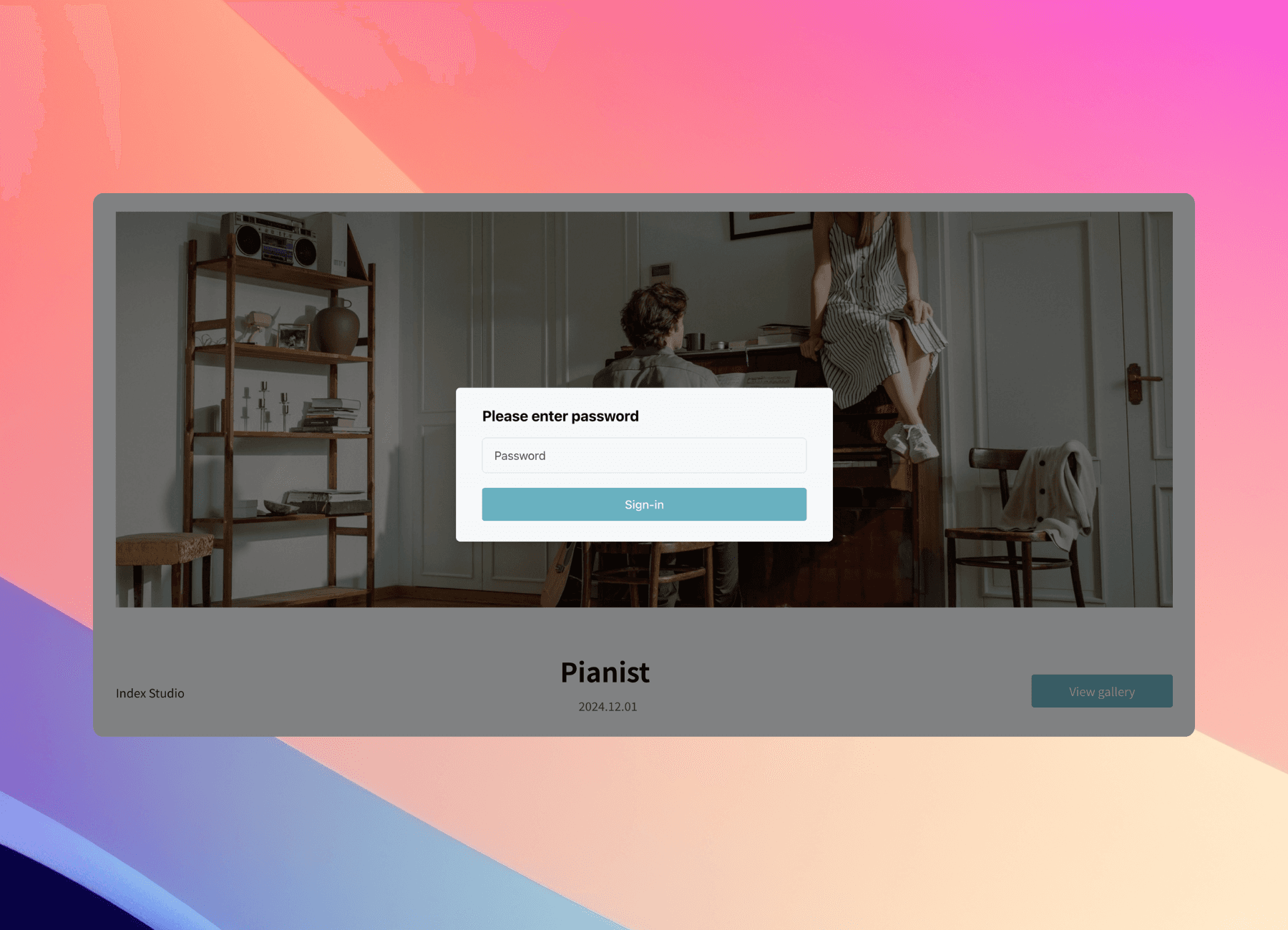
1) Set a password: the easiest first layer
A password is simple but effective.
For weddings, family sessions, and any shoot where privacy matters, it is a great default.
- Best for: sessions with lots of family sharing, shoots where public exposure would be uncomfortable
- Tip: choose a rule that is easy for the client to remember rather than something overly complex
2) Download ON/OFF: let them view, and enable saving only when it is time
If a link spreading feels risky, the bigger concern is usually not "access."
It is when download is open.
A clean approach is to keep downloads off during selection and review, then turn them on once the final delivery is confirmed.
- Best for: selection stage, retouching in progress, anything not yet final
- Tip: one gentle line is enough. "During selection, downloads are temporarily off to prevent accidental sharing. Once the final set is confirmed, I'll turn downloads on right away."
3) Watermark: good manners for proofing galleries
Even if downloads are off, screenshots can still circulate.
That is when a watermark becomes your best safety net.
- Best for: proofing galleries where the client selects, sessions where originals should not be shared widely
- Tip: place a semi-transparent watermark in the center so it protects without interrupting viewing too much
4) Client-facing message: make it feel like care
Clients feel safer when they know why.
One sentence changes the tone.
"These photos are precious, so I set a password to prevent accidental sharing. Please view comfortably, and just tap a heart on your favorites."
Recommended workflow
- Decide your security level based on the shoot type. (Password only vs watermark added)
- Create the gallery and set password / watermark.
- During selection, keep download off.
- At final delivery, turn download on and send the short guide message.
- Adjust time windows or permissions if needed to reduce support requests.
A delivery that feels safe brings better reviews
Help clients view with peace of mind.
Professionalism is often decided by these "finish-line details."
FAQ
Q. Is a password alone enough?
It depends on the shoot. For a smaller sharing circle, a password can be enough. If the content is sensitive or sharing is likely, pair it with download control.
Q. When should I enable downloads?
Keep downloads off during selection and review. Turn them on when the final delivery is confirmed.
Q. Will clients find this inconvenient?
With a warm explanation, many clients feel reassured. The key is to frame it as protection, not restriction.